
Requirement: The main requirement is to be able to assign and predict House Price in a given location based on age of house, distance from Airport and number of conveniences stores within 5 km radius.
Python IDE for Machine Learning used for the program: Google Colab
Dataset: RealEstate.xlsx
Let’s start coding:
import pandas
from sklearn.model_selection import train_test_split
from sklearn import linear_model
from matplotlib import pylab
from pylab import *

# Read data and excel source and store it in Dataframe.
df = pandas.read_excel("/content/RealEstate.xlsx")

#Display the Dataframe
display(df)

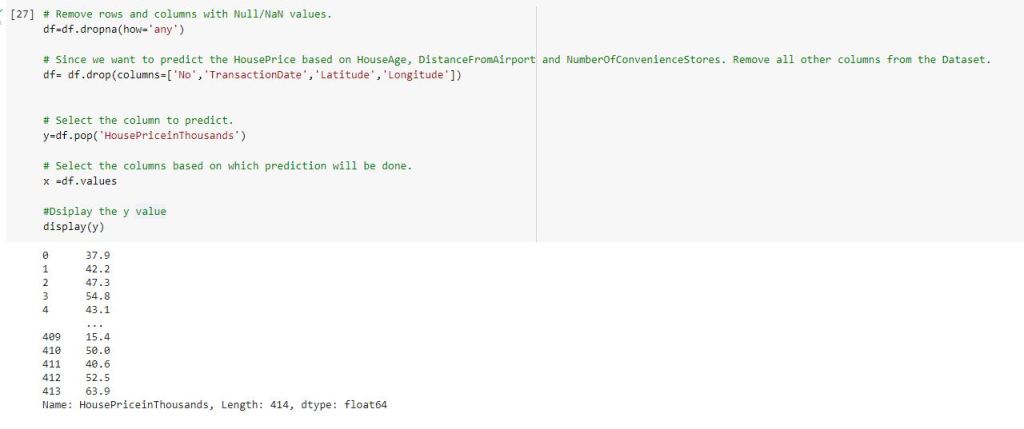
# Remove rows and columns with Null/NaN values.
df=df.dropna(how='any')

# Since we want to predict the HousePrice based on HouseAge, DistanceFromAirport and NumberOfConvenienceStores. Remove all other columns from the Dataset.
df= df.drop(columns=['No','TransactionDate','Latitude','Longitude'])


# Select the column to predict.
y=df.pop('HousePriceinThousands')

# Select the columns based on which prediction will be done.
x =df.values

#Dsiplay the y value
display(y)
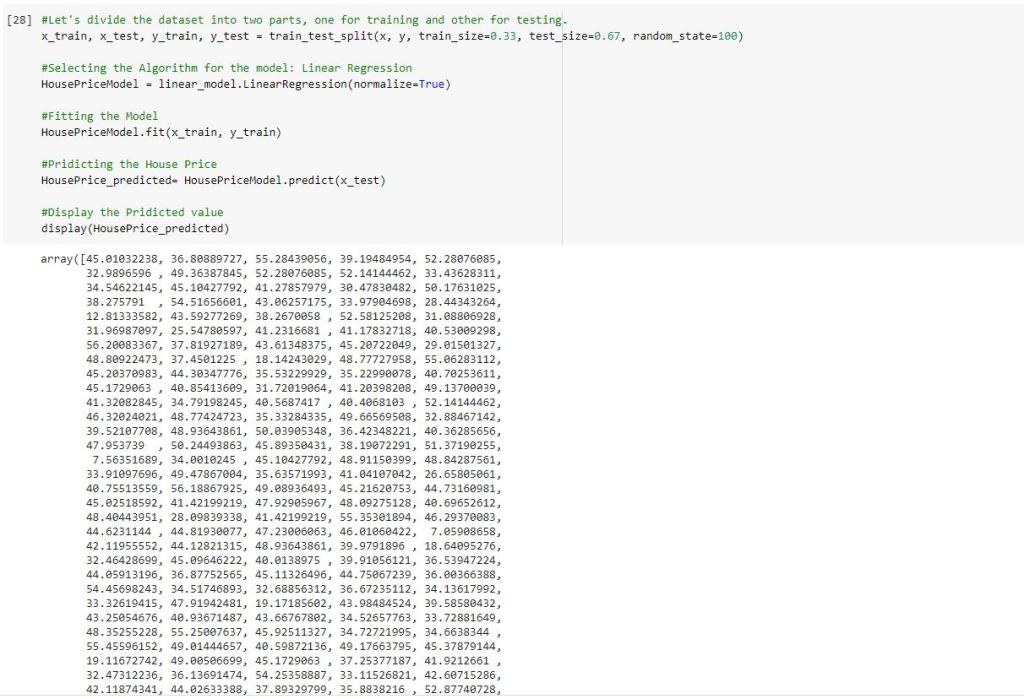
#Let's divide the dataset into two parts, one for training and other for testing.
x_train, x_test, y_train, y_test = train_test_split(x, y, train_size=0.33, test_size=0.67, random_state=100)

#Selecting the Algorithm for the model: Linear Regression
HousePriceModel = linear_model.LinearRegression(normalize=True)

#Fitting the Model
HousePriceModel.fit(x_train, y_train)

#Pridicting the House Price
HousePrice_predicted= HousePriceModel.predict(x_test)

#Display the Pridicted value
display(HousePrice_predicted)
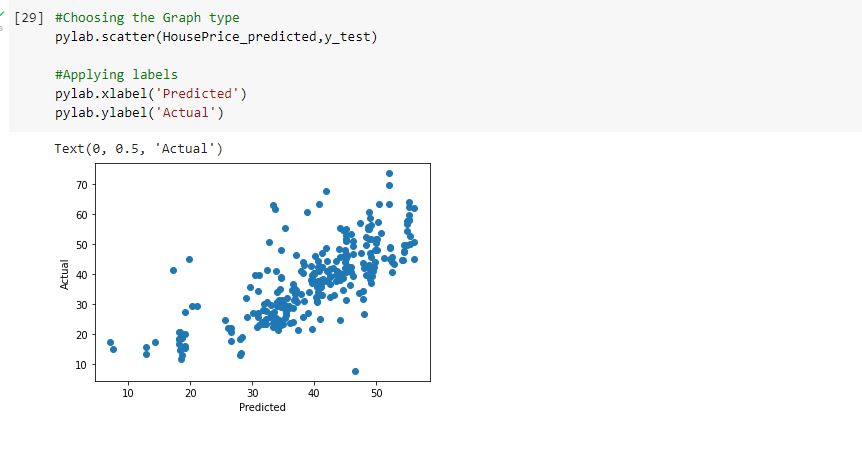
#Choosing the Graph type
pylab.scatter(HousePrice_predicted,y_test)

#Applying labels
pylab.xlabel('Predicted')
pylab.ylabel('Actual')
Thank you and Happy Learning.
Ready to elevate your skills? Click here for my Python book and here for my Machine Learning book on Kindle.
 Ization
Leave a comment