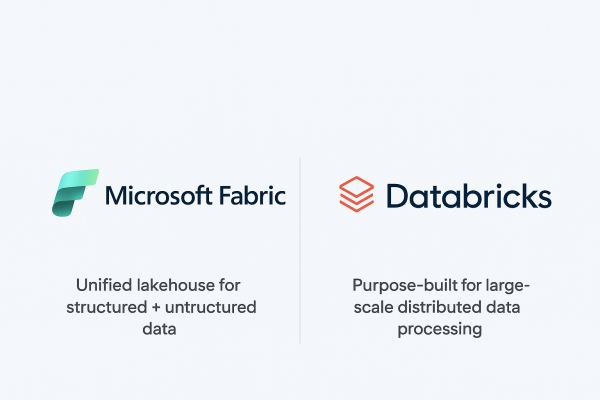
When it comes to building a modern data platform in Azure, two technologies often spark debate: Microsoft Fabric and Databricks. Both are powerful. Both can process, transform, and analyze data. But they serve different purposes, and the smartest organizations know when to use each.
Ingesting Data with Data Factory in Microsoft Fabric
In Microsoft Fabric, Data Factory is the powerhouse behind that process. It’s the next generation of Azure Data Factory, built right into the Fabric platform; making it easier than ever to: - Connect to hundreds of data sources - Transform and clean data on the fly - Schedule and automate ingestion (without writing code)
Building a Lakehouse in Microsoft Fabric
A Lakehouse in Microsoft Fabric combines the scalability and flexibility of a data lake with the structure and performance of a data warehouse. It’s an all-in-one approach for storing, processing, and analyzing both structured and unstructured data.
Exploring OneLake: The Heart of Microsoft Fabric
OneLake is Microsoft Fabric’s built-in data lake, designed to store data in open formats like Delta Parquet and make it instantly available to all Fabric experiences (Lakehouse, Data Factory, Power BI, Real-Time Analytics).
Top Azure Services You Should Master in 2025
Microsoft Azure remains a powerhouse in the cloud ecosystem, driving innovation across AI, automation, and data analytics. As industries increasingly rely on cloud-native solutions, mastering the right Azure services in 2025 is essential for cloud professionals, developers, and architects who want to stay ahead of the curve.
Building Your First Azure Data Factory Pipeline: A Beginner’s Guide
Whether you're a data engineer, analyst, or developer stepping into the world of cloud-based data integration, Azure Data Factory (ADF) is a powerful tool worth mastering. It allows you to build robust, scalable data pipelines to move and transform data from various sources, all without managing infrastructure.
How to handle duplicate records while inserting data in Databricks
Have you ever faced a challenge where records keep getting duplicated when you are inserting some new data into an existing table in Databricks? If yes, then this blog is for you. Let’s start with a simple use case: Inserting parquet data from one folder in Datalake to a Delta table using Databricks. Follow the... Continue Reading →