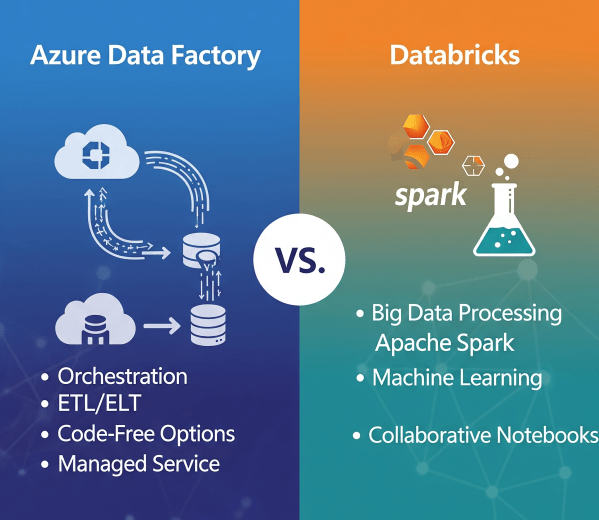
In today’s cloud-first world, enterprises have no shortage of data services. But when it comes to building scalable, reliable data pipelines, two names often dominate the conversation: Azure Data Factory (ADF) and Azure Databricks.
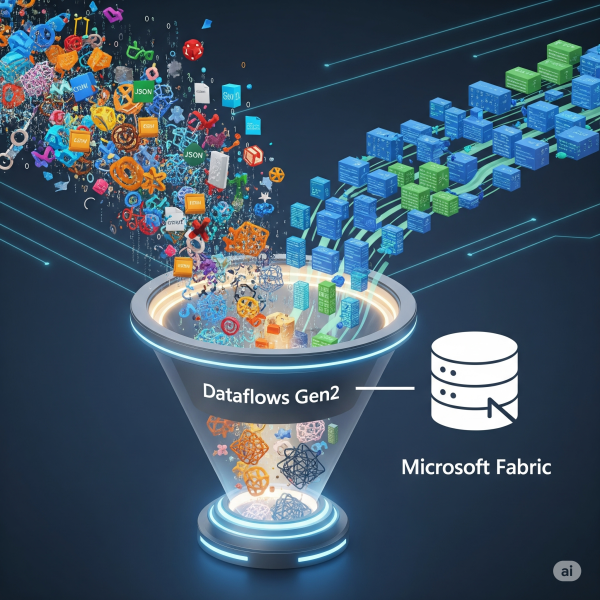
Transforming Data with Dataflows Gen2 in Microsoft Fabric
In Microsoft Fabric, raw data from multiple sources flows into the OneLake environment. But raw data isn’t always ready for analytics. It needs to be cleaned, reshaped, and enriched before it powers business intelligence, AI, or advanced analytics. That’s where Dataflows Gen2 come in. They let you prepare and transform data at scale inside Fabric, without needing heavy coding, while still integrating tightly with other Fabric workloads.
How to Send Emails to Users using SparkPost in Databricks
Notifying users when the pipeline ran successfully or whenever an issue has occurred is one of the key components of an ETL pipeline. In this blog, we have covered a step-by-step guide on how to send emails to multiple recipients using SparkPost in Databricks.
How to handle duplicate records while inserting data in Databricks
Have you ever faced a challenge where records keep getting duplicated when you are inserting some new data into an existing table in Databricks? If yes, then this blog is for you. Let’s start with a simple use case: Inserting parquet data from one folder in Datalake to a Delta table using Databricks. Follow the... Continue Reading →
How to read .xlsx file in Databricks using Pandas
Step 1: In order to read .xlsx file, you need to have the library openpyxl installed in the Databricks cluster. Steps to install library openpyxl to Databircks cluster: Step 1: Select the Databricks cluster where you want to install the library. Step 2: Click on Libraries. Step 3: Click on Install New. Step 4: Select PyPI. Step 5: Put openpyxl in the text box under Package... Continue Reading →
How to Decrypt PGP Encrypted files in Databricks
As a Data Engineer you may come across a project where you need to Decrypt the PGP Encrypted files in order to get the data and apply transformation logic on it
How to read .csv and .xlsx file in Databricks
How to read .xlsx file: Step 1: In order to read .xlsx file, you need to have the library com.crealytics:spark-excel_2.11:0.12.2 installed in the Databricks cluster. Steps to install library com.crealytics:spark-excel_2.11:0.12.2 to Databircks cluster: Step 1: Select the Databricks cluster where you want to install the library. Step 2: Click on Libraries. Step 3: Click on... Continue Reading →