Analyzing Data with Power BI in Microsoft Fabric

Data becomes valuable when it’s turned into insights that drive action. In Microsoft Fabric, this is where Power BI shines. By connecting directly to Lakehouses and Warehouses in Fabric, you can build interactive dashboards and reports, then publish and share them securely across your organization.

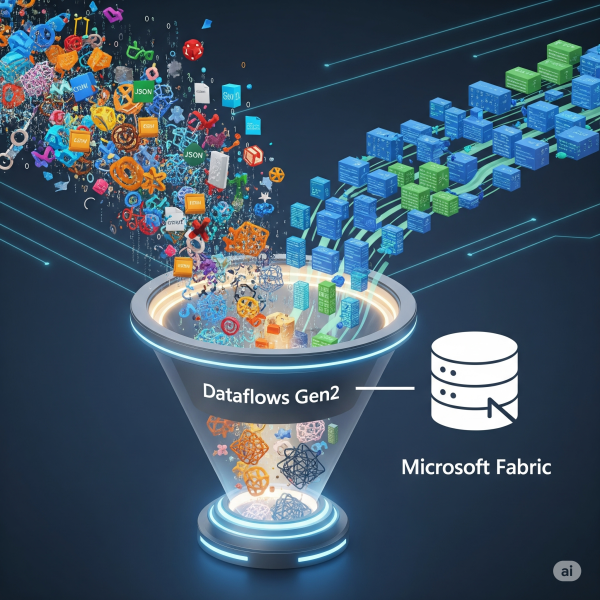
Transforming Data with Dataflows Gen2 in Microsoft Fabric

In Microsoft Fabric, raw data from multiple sources flows into the OneLake environment. But raw data isn’t always ready for analytics. It needs to be cleaned, reshaped, and enriched before it powers business intelligence, AI, or advanced analytics. That’s where Dataflows Gen2 come in. They let you prepare and transform data at scale inside Fabric, without needing heavy coding, while still integrating tightly with other Fabric workloads.

Ingesting Data with Data Factory in Microsoft Fabric

In Microsoft Fabric, Data Factory is the powerhouse behind that process. It’s the next generation of Azure Data Factory, built right into the Fabric platform; making it easier than ever to: - Connect to hundreds of data sources - Transform and clean data on the fly - Schedule and automate ingestion (without writing code)

Setting Up Your First Microsoft Fabric Workspace

If you’re starting with Microsoft Fabric, the first thing you’ll need is a workspace, it is a central hub where all data-related assets live. Think of it as your project’s headquarters: datasets, pipelines, Lakehouses, dashboards, and governance settings are all managed here.

Why “Good Enough” Data Isn’t Good Enough Anymore

For years, organizations have operated under the assumption that “good enough” data is… good enough. A few gaps here, a few duplicates there as long as dashboards work and reports run, why sweat the small stuff? That mindset might have worked in the past. But today, “good enough” data is no longer enough and holding onto that thinking could be quietly costing your business millions.

Top Azure Services You Should Master in 2025

Microsoft Azure remains a powerhouse in the cloud ecosystem, driving innovation across AI, automation, and data analytics. As industries increasingly rely on cloud-native solutions, mastering the right Azure services in 2025 is essential for cloud professionals, developers, and architects who want to stay ahead of the curve.

Python for Data Engineers: 5 Scripts You Must Know

As a data engineer, your job isn’t just about moving data. It’s about doing it reliably, efficiently, and repeatably, especially when working with cloud data platforms like Azure SQL Data Warehouse (Azure Synapse Analytics). Python is one of the best tools to automate workflows, clean data, and interact with Azure SQL DW seamlessly.

Power BI DAX Hacks for Faster Reporting

If you’ve used Power BI for any amount of time, you know that DAX (Data Analysis Expressions) is both powerful and, at times, puzzling. While it unlocks deep analytical capabilities, it can also slow down your reports if not used wisely.

Create a website or blog at WordPress.com

Up ↑