In Microsoft Fabric, raw data from multiple sources flows into the OneLake environment. But raw data isn’t always ready for analytics. It needs to be cleaned, reshaped, and enriched before it powers business intelligence, AI, or advanced analytics.
That’s where Dataflows Gen2 come in. They let you prepare and transform data at scale inside Fabric, without needing heavy coding, while still integrating tightly with other Fabric workloads.
When to Use Dataflows vs. Notebooks in Fabric
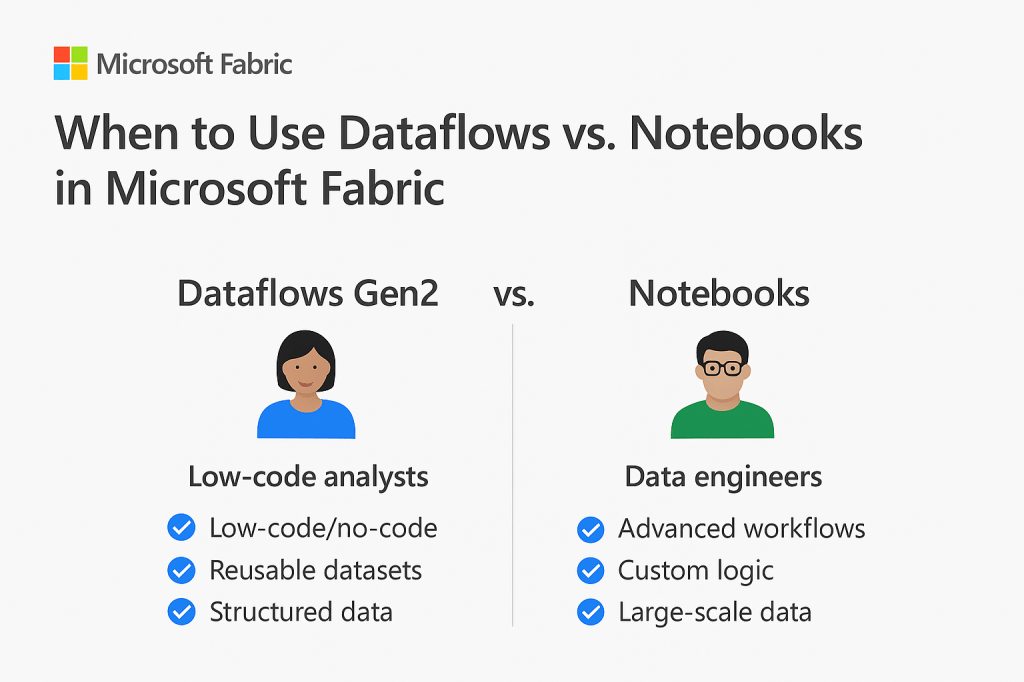
Fabric gives you multiple ways to transform data: Dataflows Gen2 and Notebooks are the most common. Choosing the right one depends on your scenario:
- Choose Dataflows Gen2 when…
- You want a low-code/no-code option for data preparation.
- Analysts and business users need to own and maintain transformations.
- Data comes from structured sources (databases, files, APIs) and requires common shaping tasks.
- You want reusable, curated data entities available in OneLake for BI and reporting.
- Choose Notebooks when…
- You’re working with large-scale or unstructured data (logs, IoT, images, JSON).
- Data prep requires custom logic or advanced techniques (e.g., ML feature engineering).
- Your team prefers Python, R, or Spark for flexibility and scalability.
- You need transformations embedded in data engineering pipelines.
In Fabric, a good rule of thumb is: Dataflows Gen2 for governed, repeatable transformations; Notebooks for advanced or custom processing.
Building Transformations with Power Query in Fabric

Dataflows Gen2 use the Power Query Online experience, the same interface familiar to Power BI users, but now running inside Fabric.
With Power Query you can:
- Shape data: filter, sort, split, rename, pivot/unpivot.
- Combine sources: merge tables from SQL, Dataverse, or CSV files in OneLake.
- Create calculated fields: apply business logic in a structured way.
- Standardize types: ensure consistency across multiple datasets.
Behind the scenes, every transformation is defined in the M language, but you rarely need to touch the code. This makes it easy to build transformations visually while still maintaining transparency.
Once published, the resulting dataflow stores the curated data into Lakehouses or Warehouses in Fabric, ready for downstream use.
Handling Data Quality and Cleaning at Scale in Fabric
Poor data quality can derail analytics. Fabric + Dataflows Gen2 give you a framework to handle this at enterprise scale:
- Standardize formats: unify text casing, dates, numbers, currencies.
- Handle missing data: replace nulls, fill down values, or apply conditional replacements.
- Remove duplicates/outliers: ensure clean, consistent records.
- Apply validation logic: flag invalid entries (e.g., negative quantities).
- Enforce consistency: share a single dataflow across multiple Fabric workspaces, ensuring one version of the truth.
Because these transformations run in the Fabric compute engine, they can scale to handle large datasets efficiently, while centralizing the results in OneLake.
Key Takeaway
Dataflows Gen2 in Microsoft Fabric democratize data prep empowering business users to clean and transform data with Power Query Online, while giving data engineers the scale and governance they need.
Use them for repeatable, governed data transformations stored in OneLake, and lean on Notebooks when advanced, custom, or large-scale data engineering is required.
 Ization
Leave a comment